📢 Messages tab
Messages WolfRAT sends for you - rotating server announcements, a welcome for new players, a private welcome only the joining player can see - and the !kd stats command.
Recurring Messages
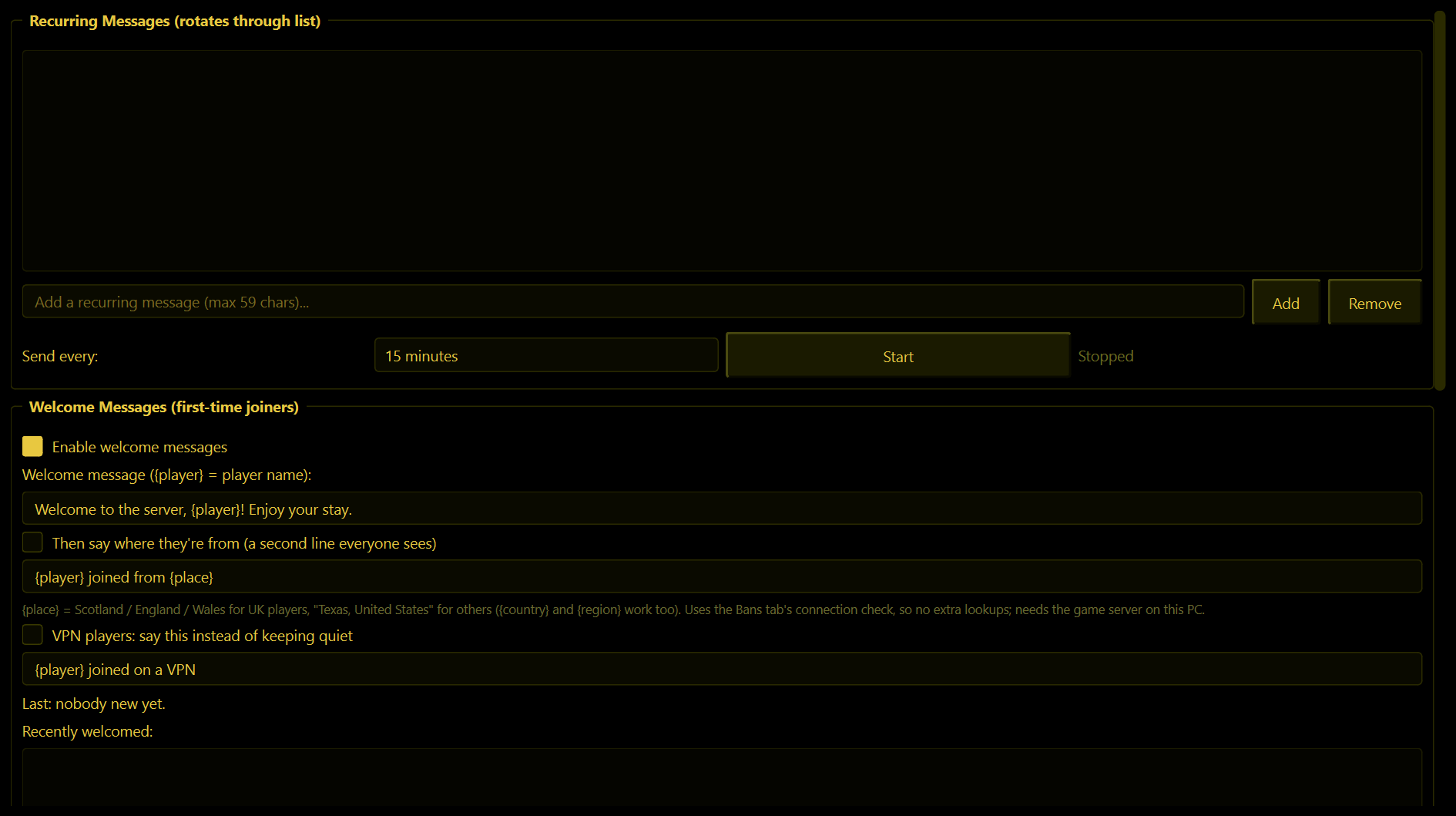
A list of announcements that WolfRAT sends to game chat one after another, on a timer - server rules, your Discord address, "type !switch to change teams", and so on.
- Type a message (59 characters at most, or 118 with long chat) and press Add. Add as many as you like.
- Choose Send every: 5, 10, 15, 30, 45 or 60 minutes.
- Press Start. The first message goes out straight away, then the next one each time the timer comes round, looping through the list.
Stop pauses it; Remove deletes the selected message.
If the messages were running when you closed WolfRAT, they start again by themselves the next time you open it.
Welcome Messages (first-time joiners)
A public welcome in game chat the very first time WolfRAT sees a player.
- Tick Enable welcome messages and write your line. Put
{player}where the name should go: "Welcome to the server, {player}! Enjoy your stay." - WolfRAT waits 40 seconds after they appear before sending it, so they have finished loading and can actually read it.
- Recently welcomed shows who has been greeted.
"First time" really means first time, ever. WolfRAT remembers every name it has welcomed, so your regulars are not greeted again each evening. Everyone on the server sees this message - for one that only the new player sees, use the private welcome below.
Where they're from (2.8.3)
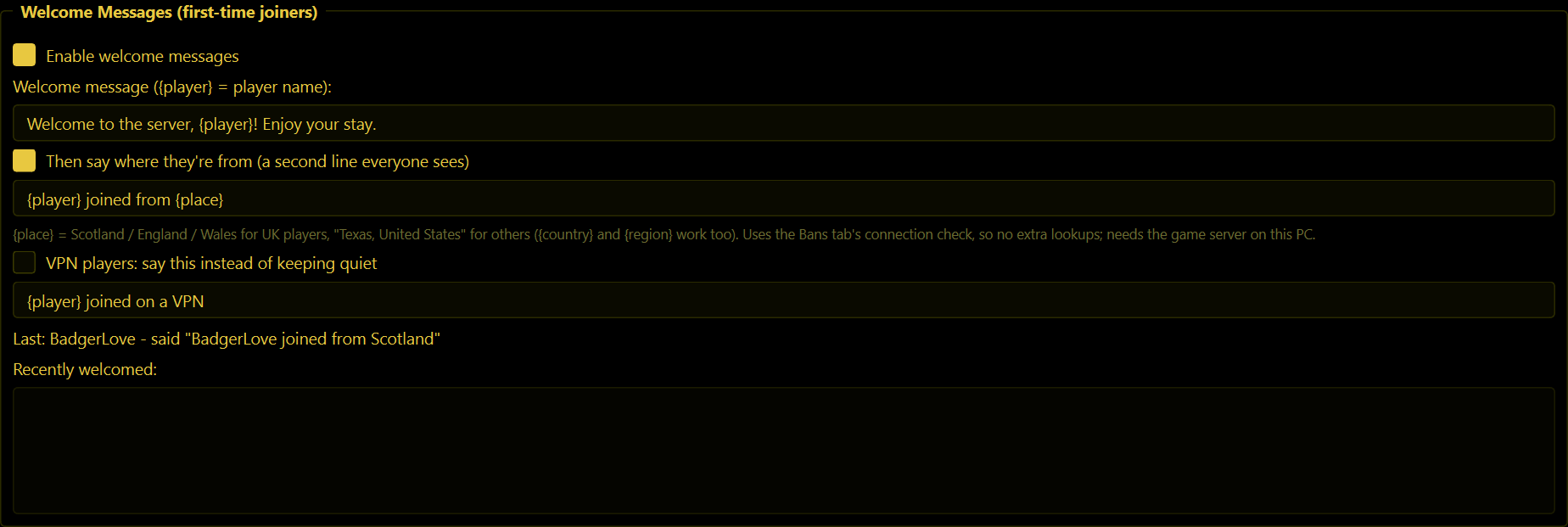
A second public line for first-time players that tells the whole server where they are from: "BadgerLove joined from Scotland". Off unless you tick Then say where they're from.
- Put
{place}where the place should go. UK players get their nation (Scotland, England, Wales, Northern Ireland); everyone else gets region and country, like "Texas, United States", or just the country when the line would be too long.{country}and{region}work too. - It goes out a couple of seconds after the welcome, so the two lines arrive together. It works with the welcome switched off as well.
- Players on a VPN are left alone - a VPN only tells you where the VPN is. Tick VPN players: say this instead to announce "(name) joined on a VPN" rather than keeping quiet.
- The Last: line underneath says what happened with the most recent new player - the line it sent, or why it kept quiet (on a VPN, lookup failed, no answer within a minute).
The place comes from the Bans tab's connection check - the same lookup, never a second one - so it needs WolfRAT on the same PC as the game server. The Connection checks page does not have to be switched on: if it is off, WolfRAT looks up first-time players only, and never kicks anyone for it. The place is where the player's internet provider registers the address, so now and then a Scot shows up as England.
Private welcome (only the player who joined sees it)
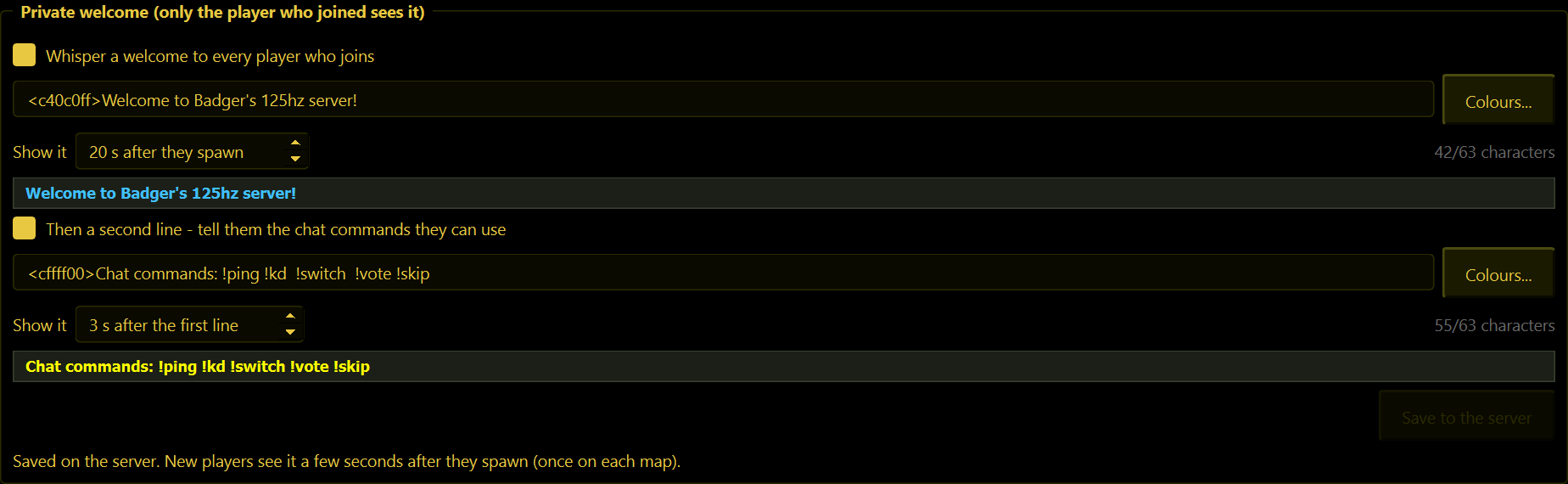
You know the servers that greet you with a line nobody else gets? This is that. Because nobody else sees it, it can greet every player on every visit without cluttering the chat - which makes it the perfect place to tell players which commands they have.
- Tick Whisper a welcome to every player who joins and type your message.
- Colour it with colour codes typed into the message:
<c40c0ff>Welcome<co> to my server!shows "Welcome" in light blue, then<co>goes back to the normal colour. You can start another colour after it. The Colours... button next to the box lists the main colours with a Copy button for each - copy one and paste it in (Ctrl+V). - The dark strip under the box is a preview of how the line looks in game, and the counter shows how many of the 63 characters you have used (colour codes count).
- Choose how many seconds after they spawn it appears (20 is a good start).
- Optional: tick Then a second line. WolfRAT suggests "Chat commands: !kd !switch !vote mapname !skip" with "Chat commands:" in yellow - edit it to suit your server. It appears a few seconds after the first line.
- Press Save to the server.
It starts working at the next map change. The game only reads this kind of thing when a map loads. The sentence under the button always tells you where you stand.
- WolfRAT must be running on the same PC as the game server for this one - it writes a few lines into a small script file (
server.wac) in the server's folder, the same file the lightning add-on uses. If WolfRAT cannot see a server on the PC, the box tells you so. - Once it is saved, the game server does the greeting itself. It keeps working even when WolfRAT is closed.
- Each player sees it once on each map, a few seconds after they first spawn.
- Up to 63 characters per line, colour codes included - that is all the game's script can hold. The message cannot contain a double quote (
"), or a<or>that is not part of a colour code - WolfRAT stops you before it saves anything that would break the script. - If WolfRAT says it cannot write the file, your server is probably installed somewhere protected like Program Files - run WolfRAT as administrator.
- To switch it off, untick the box and press Save to the server.
Player KD Tracking
With Enable KD Tracking ticked, WolfRAT keeps a running total of every player's kills and deaths - across maps, across evenings, for as long as you keep WolfRAT's folder.
Any player can then type !kd in game chat to see their own numbers, or !kd somebody to look up someone else:
BadgerLove: Kills: 1482 | Deaths: 977 | KD: 1.52
Stats are only counted while WolfRAT is running and connected, and they are kept by player name - someone who changes their name starts again from zero.