🔫 Weapons tab
Decide which weapons players may use - each one always available, only from the armory, or not at all - and let every map load with its own weapons.
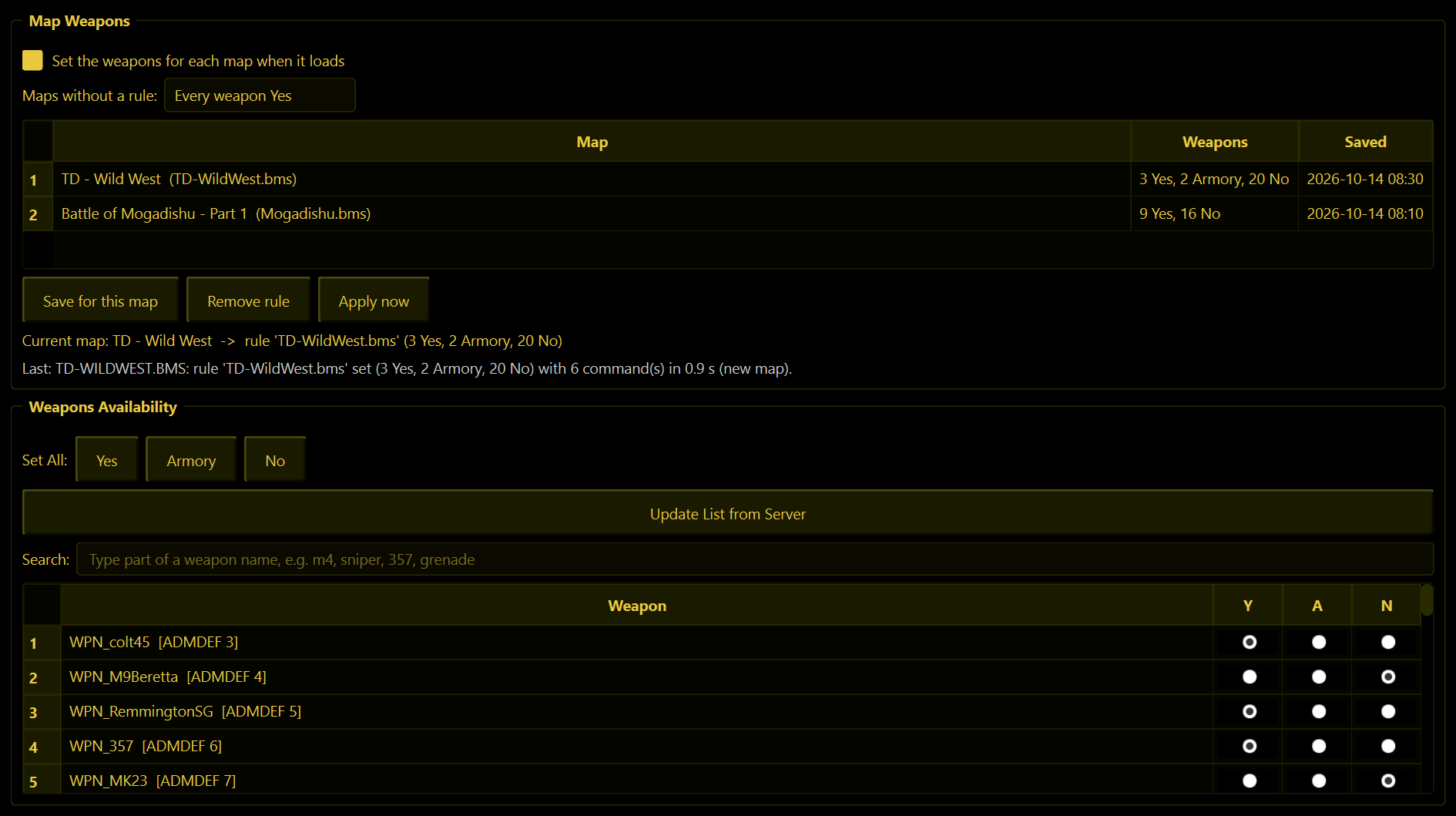
The weapon list
Every weapon the server knows about, straight from the server itself. Each row has three choices:
| Column | Means |
|---|---|
| Y | Yes - always available. Players can pick it when they spawn. |
| A | Armory - only available from an armory in the map. |
| N | No - switched off. Nobody can use it. |
Click the dot you want and it is sent straight away. WolfRAT then checks that the server really changed it; if the change did not stick, the list reloads itself so you are always looking at the truth. From 2.9.3 the list stays where you scrolled it when it reloads.
A change works at once, even mid-match. A weapon a player is already holding stays in their hands until they die; after that they get what is allowed now. Give a weapon back and players can take it from the armory straight away, and it is back in their kit the next time they spawn.
Search (2.9.3)
Type in the Search box above the list and only the matching weapons stay in view. Part of a name works (m4, 357, gren), and so do sniper, pistol, shotgun and machine gun. The little cross in the box clears it.
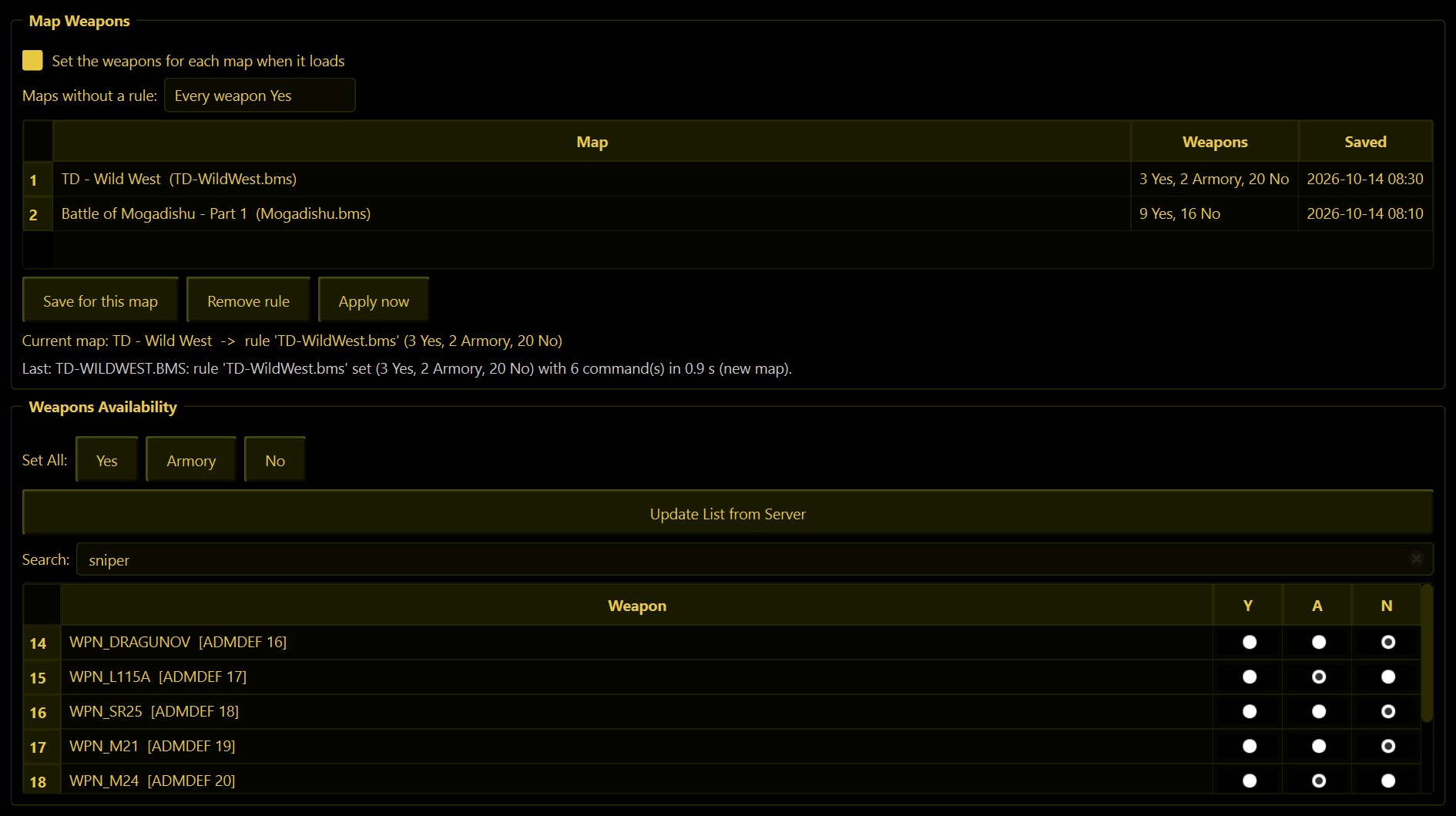
Set All
- Yes - every weapon always available.
- Armory - every weapon armory-only.
- No - every weapon switched off.
- Update List from Server - reloads the list.
These act immediately and do not ask first.
Snipers-only night? Press No under Set All, then set the rifles you want back to Y.
Map Weapons (2.9.3)
Give a map its own weapons - a western map with revolvers and a shotgun, a historical map with only the weapons of the time - and WolfRAT puts them on every time that map loads.
- While the map is running, set its weapons in the list below (Y, A or N, or Set All).
- Press Save for this map. The map appears in the rules list with a count, for example 3 Yes, 2 Armory, 20 No.
- Tick Set the weapons for each map when it loads. It is off until you tick it.
From then on WolfRAT puts each map's weapons on before the map loads (2.9.6), because a player's weapon menu is set the moment they load in: when WolfRAT switches the map (!map, the map vote, the Missions tab, Web Admin) it sends the next map's weapons first, and when a map ends on its own (timer, objectives, kill limit) it sends them during the scoreboard. A few seconds after the new map has loaded it checks them once more. Ending on its own needs WolfRAT on the same PC as the server. WolfRAT remembers the rules after it is closed. To change a map's weapons, do the same again on that map: saving replaces its old rule.
| Control | What it does |
|---|---|
| Maps without a rule | Every weapon Yes (the normal choice: after a special map, everything comes back) or Leave them as they are. |
| Copy rule to maps... | (2.10.0) Gives other maps the same weapons as a saved rule. Pick the rule to copy (it starts on the one you clicked in the list), tick maps in the full map list - search it, for example sulphur or TD- - and press Copy. The maps do not need to be playing. Each map gets its own copy, so you can still change one later without touching the others. It asks before replacing a map's own rule. |
| Remove rule | Deletes the rule you clicked in the list (it asks first). |
| Apply now | Sends the current map's weapons straight away. |
| Current map | The map running now and which rule it gets. |
| Last | What WolfRAT did last and when, for example rule set (3 Yes, 2 Armory, 20 No) in 0.9 s. If it ever could not set them, this line says why. |
- Changed a weapon by hand mid-match? WolfRAT leaves that map alone until the next map loads, so you can still hand weapons back during a game. Apply now puts the map's saved weapons back.
- A rule matches the map's file name. Saved from the map itself, that is done for you.
- The game mode is part of the name (2.10.0): DM - Sulphur Creek and TD - Sulphur Creek each keep their own weapons, and saving one never replaces the other.
- It needs WolfRAT running and connected - it is WolfRAT that sends the weapons when the map changes.